
Lead Product Designer · Frog Street · 2023–present
Frog Street
Context
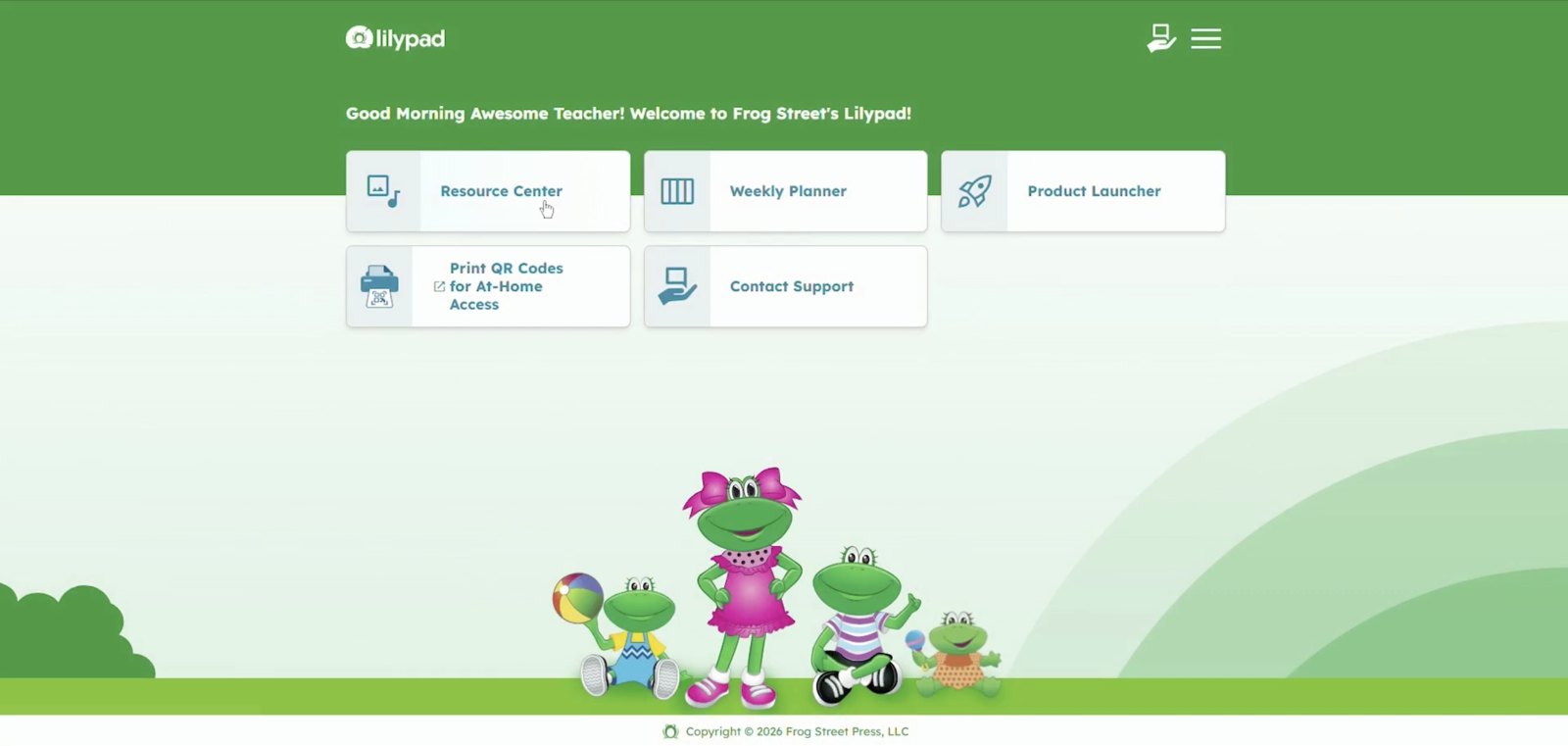
Lilypad is Frog Street's early-childhood learning platform, and the bet behind it was specific: turn decades of classroom curriculum into a product that fits a teacher's real day. That means planning before class, the lightest possible touch during it, and the heavier work of documentation and reporting after, so the product stays in the background of a room full of toddlers instead of adding noise to it. The legacy content portal it replaced is fully retired; Lilypad is built on modern infrastructure, with current security and accessibility standards designed in from day one.
Lilypad serves several audiences at once: teachers day to day, district administrators, and caregivers, with children as direct users in some experiences. My work has centered on the teacher- and admin-facing side of the platform: the flows, reporting, and architecture they rely on.
A note on scope: Frog Street's curriculum and its developmental assessment framework are authored by the company's curriculum and pedagogy team. My work is the product that delivers them: the architecture, flows, interfaces, and design system that put that content in teachers' hands.
What I did
Defined the product architecture
I defined the product ecosystem the whole platform still runs on: a teacher-facing application and a separate content-and-admin backend. That split structured every build decision that followed: where content lives, how it's authored and published, what teachers see, and how districts are provisioned.
The same backend also drives provisioning: licensing a district, rostering its schools and teachers, and granting access down to each classroom. That people-and-permissions pipeline runs alongside the content one, and modeling it, from district to school to teacher, was as much a part of the architecture as deciding where content lives and how it's published.
A real part of that lift was translation. It meant first understanding the print curriculum: how it's structured, and how teachers actually use it. Then I adapted it into something that works digital-first rather than a scanned copy of the page, while staying congruent with the print products still in classrooms. Print and digital had to read as one curriculum.
Designed the core flows and funnels
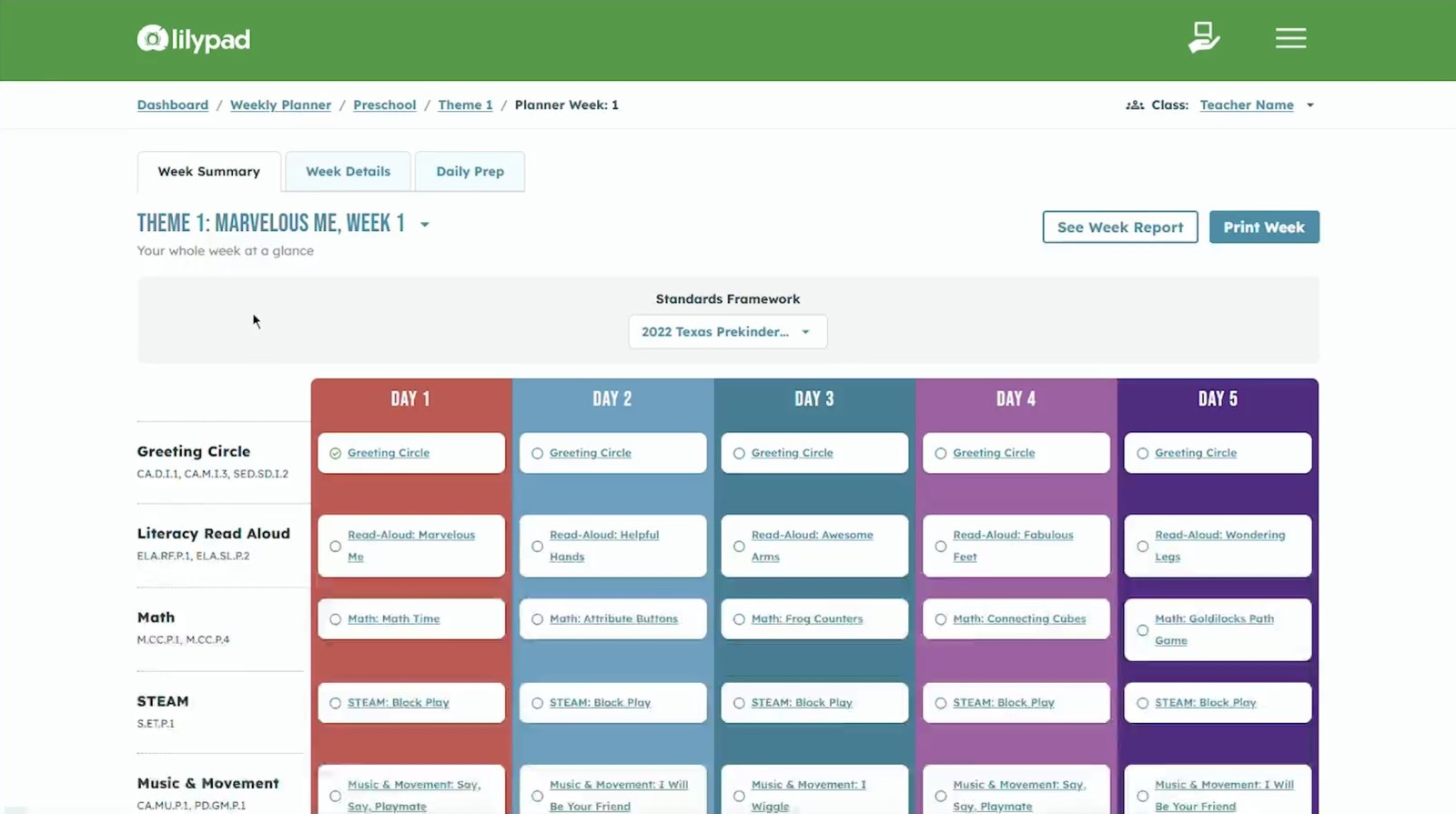
I designed the platform's core surfaces and the flows that connect them: login, invite, and account creation; SSO and self-service district rostering; the teacher hub and dashboard; program selection; the Resource Center with its search, filter, and bookmarking systems; and onboarding for both teachers and district admins. This is the spine of the product, the path a teacher takes from logging in to running their day.
Built the design system from scratch
I built Frog Street's first design system from the ground up, and the ground was research, not components. There was no product yet, so I started with discovery: user interviews alongside the business, product, and marketing requirements for what this platform needed to be. That meant learning how teachers actually used the print curriculum, what the business wanted the digital future to deliver, and the gaps the old content portal left behind. That fed the pre-design work: card sorts and the translation of decades of print curriculum into a coherent digital information architecture, so print and product would read as one.
From there the system built up. Through design exploration in Figma, I established the first atomic elements of a Brad Frost–style system, assembled them into components, and composed those into patterns and finished designs. I prototyped those designs iteratively, using AI-assisted tooling to stand up and refine working prototypes quickly, and validated them through remote, qualitative user testing with teachers, moderated sessions that routed real findings back into the work. From there I worked hand in hand with developers through build and QA: pulling specs, reviewing implementation, and testing against the designs. That work carried it all the way up to shipped product. The WCAG-compliant color system was engineered for parity with Frog Street's print materials, bridging the digital product with the company's print heritage, and I documented the whole system for the team. It has since been expanded twice.
Owned the Assessment Center, end to end
Frog Street's flagship new capability is a formative-assessment experience for early-childhood educators. I owned its design from the first written principles through dev handoff: capturing an observation in the moment, the reporting that turns those observations into a readable picture of progress, and the admin configuration behind it. The developmental framework and standards these reports express belong to the curriculum team; the product that lets a teacher capture an observation one-handed and read a class's progress before a checkpoint closes is mine.
Before a single card sort or wireframe, I wrote the approach down: a document setting the principles the product would hold to. The starting truth was that most early-childhood teachers aren't trained assessors, and don't need to be, so the product never asks them to know the difference between formative and summative assessment. Plain language and clear labels carry that logic, so the teacher doesn't have to.
The second principle was weight. A teacher's day is relentless, so capturing evidence had to be light enough to do in the moment, a quick note or photo, without taxing them. From there the flow follows the teacher's own curiosity: after capturing evidence, they choose the children, apply a domain and skill, a level, and progress, and complete a real observation without ever having to treat it as a formal assessment. That funnels them, gently, into reporting that stays simple to read.
In usability testing, educators consistently described observation capture as fast and easy to use in the middle of a busy classroom.
Made accessibility a program
Accessibility was in the work from year one and became a dedicated compliance track, a WCAG/508 epic covering color and contrast, keyboard focus, screen-reader support, alt text, and WAVE remediation. I compiled the platform's accessibility posture into a procurement-ready questionnaire.
Stood up research operations from zero
I established the platform's research practice: the first structured test plan, teacher interviews, a moderated-testing program, analytics instrumentation, and on-site user testing, routing findings straight back into the report designs. The company later grew a dedicated research function that carried the program forward, which is exactly what a founding practice is for.
The practice produced product decisions, not decks, and kept producing after the handoff. Usability testing showed teachers using the Planner to actively shape their week, not just view it; that insight shipped as a set of Planner enhancements. Later wireframe testing with infant, toddler, and preschool educators drove a more streamlined observation-capture flow.
Led design as the team grew
On the digital side, I procured, onboarded, and directed a contract designer. On the print side, I sourced a staffing partner and helped hire a print designer who went on to contribute to Frog Street's new infant product, a hire that had real impact on the print product line.